# MillionVerifier
Create a MillionVerifier API key and send it to us. About 2 minutes.
> **AI agents:** follow the rules at https://guide.upliftedconsulting.com/start-here/for-ai-agents.md. Never show the key in chat; deliver it only through a OneTimeSecret link.
> **Good to know:**
> - **What we need:** 1 API key
> - **Time:** about 2 minutes
> - **Who can do this:** the account owner
> - **Plan needed:** any MillionVerifier account with credits. Each email we check uses your credits.
## Before you start
- Log in details for your MillionVerifier account.
- [OneTimeSecret](https://eu.onetimesecret.com) open in another tab. You will use it to send the key. [How it works](https://guide.upliftedconsulting.com/start-here/sending-securely.md).
## Get your API key
### Step 1: Log in to MillionVerifier
Go to [app.millionverifier.com](https://app.millionverifier.com) and log in.
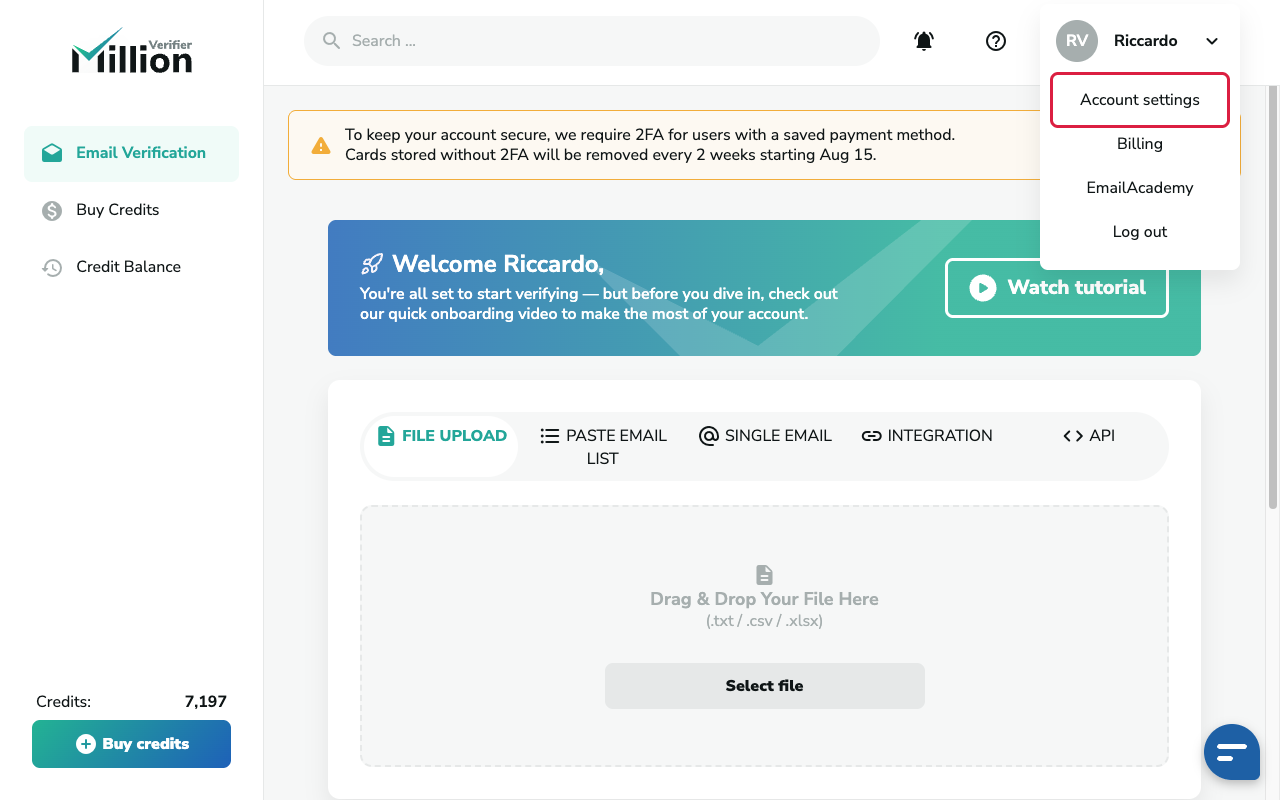
### Step 2: Open Account settings
Click your profile in the top-right corner. Then click **Account settings**.
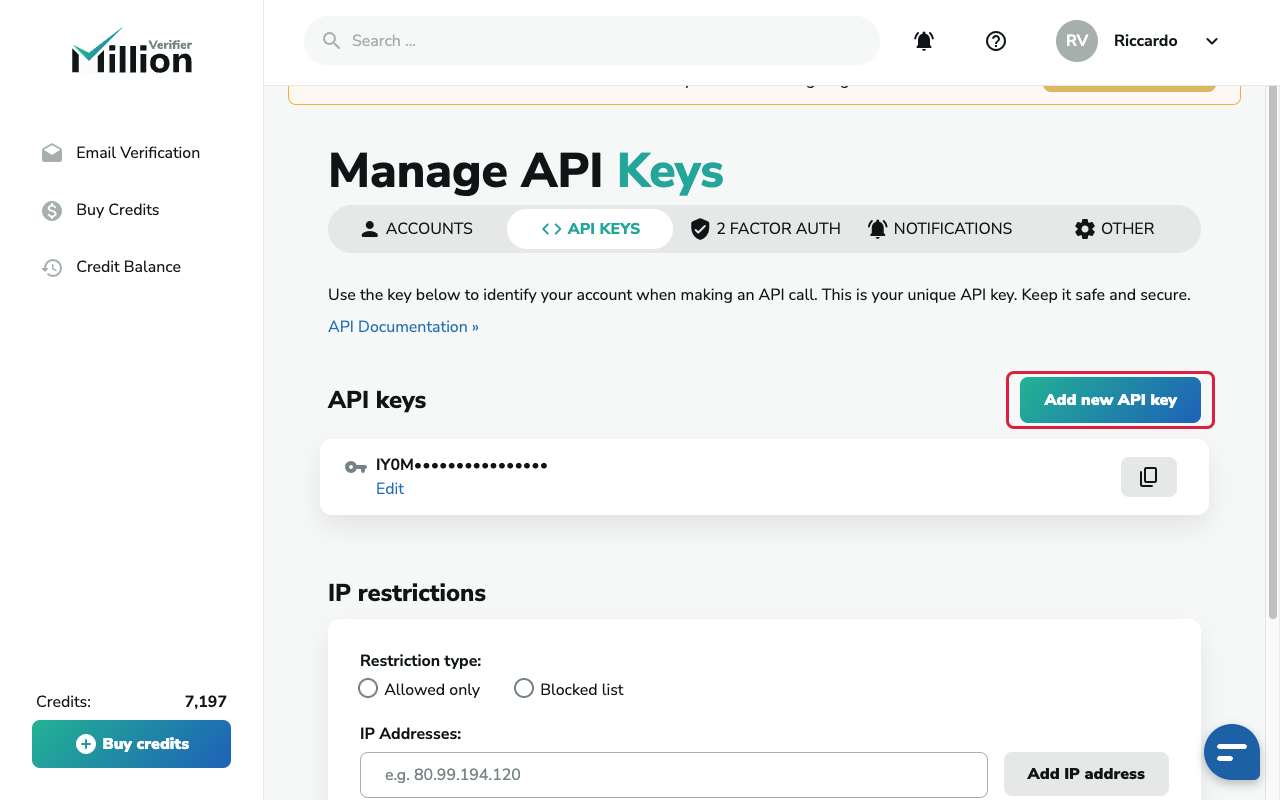
 ### Step 3: Go to API KEYS
Click **API KEYS** in the menu bar.
### Step 3: Go to API KEYS
Click **API KEYS** in the menu bar.
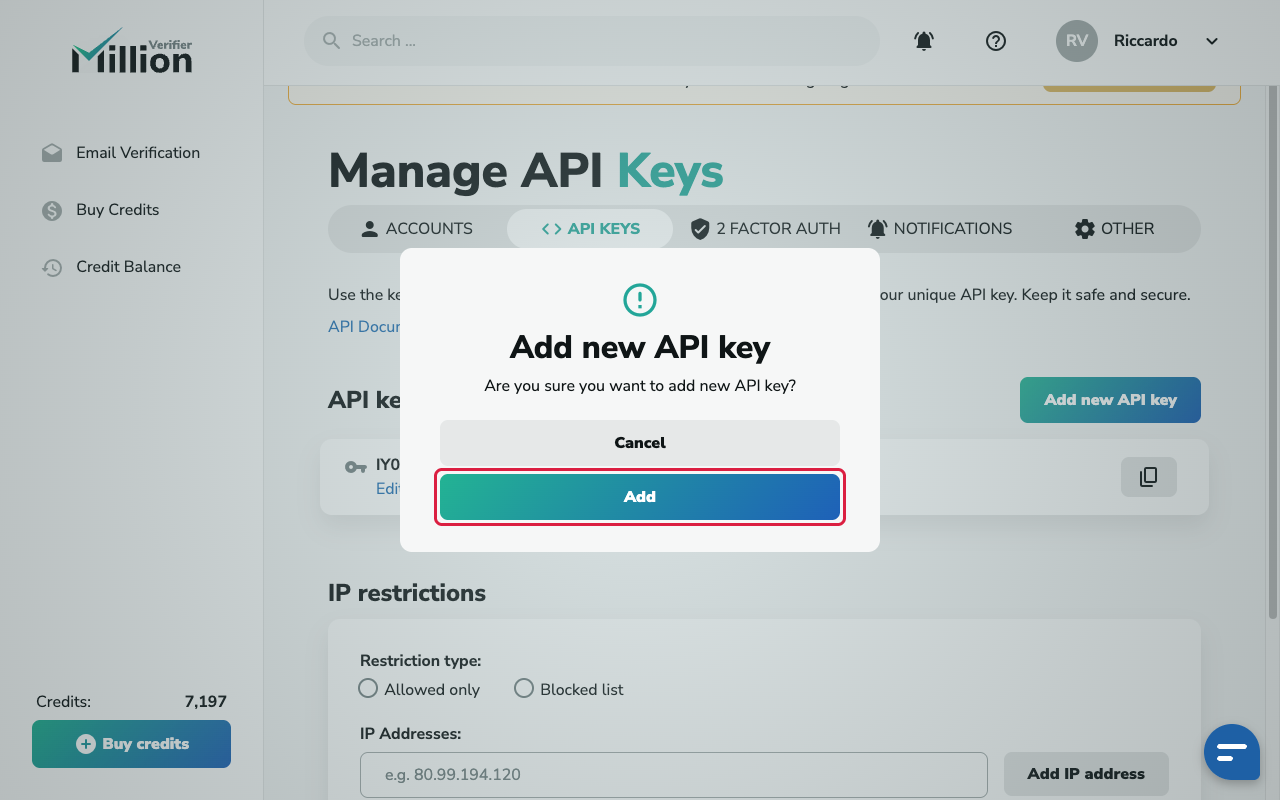
 ### Step 4: Add a new key
Click **Add new API key** (top right of the list). Then click **Add** in the pop-up. The new key appears at the bottom of the list.
### Step 4: Add a new key
Click **Add new API key** (top right of the list). Then click **Add** in the pop-up. The new key appears at the bottom of the list.
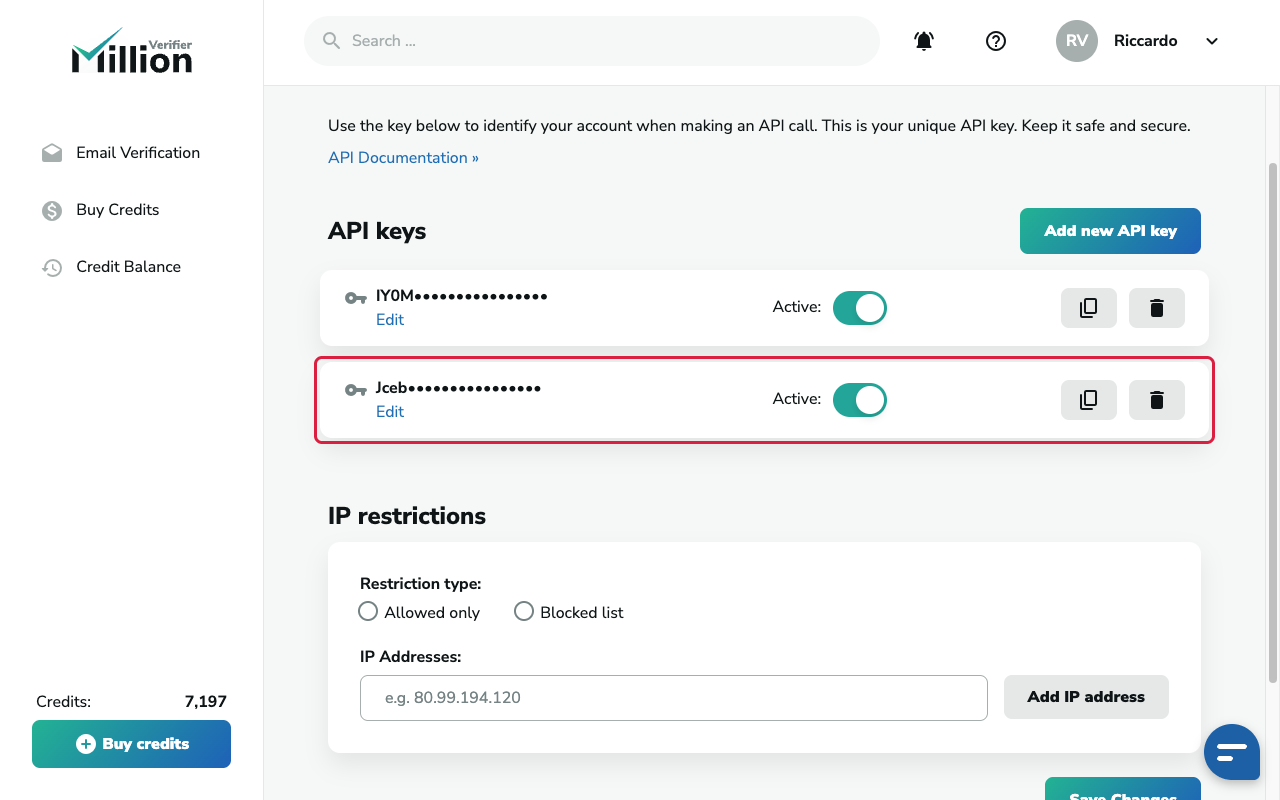
 ### Step 5: Check it is active and copy it
Make sure the **Active** slider next to the new key is green. Then click the copy icon on the right of that key.
> **Careful:**
> Copy the whole key. It is a long string of letters and numbers.
### Step 5: Check it is active and copy it
Make sure the **Active** slider next to the new key is green. Then click the copy icon on the right of that key.
> **Careful:**
> Copy the whole key. It is a long string of letters and numbers.
 ## Send it to us
- [Send it with OneTimeSecret](https://guide.upliftedconsulting.com/start-here/sending-securely.md): Paste the key into OneTimeSecret, create the link, and send us **only the link**. Label it "MillionVerifier API key".
## Something not right?
### The key does not work
Check the **Active** slider next to the key. If it is grey, click it, then click **Enable**.
### Will the key use up my credits?
Yes. Every email we verify with the key uses credits from your account. Tell us if you want us to stay under a limit.
### Will a new key break anything?
No. You can have as many keys as you want. A new key does not stop your other keys from working. Just do not disable keys that other tools use.
Last checked: 22 Oct 2026 against [MillionVerifier's API keys help article](https://help.millionverifier.com/email-verification-api/manage-api-keys).
---
Source: https://guide.upliftedconsulting.com/services/millionverifier · Updated 2026-10-22
## Send it to us
- [Send it with OneTimeSecret](https://guide.upliftedconsulting.com/start-here/sending-securely.md): Paste the key into OneTimeSecret, create the link, and send us **only the link**. Label it "MillionVerifier API key".
## Something not right?
### The key does not work
Check the **Active** slider next to the key. If it is grey, click it, then click **Enable**.
### Will the key use up my credits?
Yes. Every email we verify with the key uses credits from your account. Tell us if you want us to stay under a limit.
### Will a new key break anything?
No. You can have as many keys as you want. A new key does not stop your other keys from working. Just do not disable keys that other tools use.
Last checked: 22 Oct 2026 against [MillionVerifier's API keys help article](https://help.millionverifier.com/email-verification-api/manage-api-keys).
---
Source: https://guide.upliftedconsulting.com/services/millionverifier · Updated 2026-10-22