
You need this from us first
- Which bases (or workspace) to give access to
- Whether webhooks are needed (optional, default no)
Don't have it? Ask your Uplifted contact.
- What we need
- 1 personal access token (and, if you like, your Base ID)
- Time
- about 5 minutes
- Who can do this
- anyone with access to the base. To let us change tables or fields, you need to be a Creator in that base.
- Plan needed
- works on all Airtable plans, including Free
Before you start
- Log in details for your Airtable account.
- The name of the base (or bases) we will work on.
- OneTimeSecret open in another tab. You will use it to send the token. How it works.
Get your access token
Open the token page
Log in to Airtable. Then go to airtable.com/create/tokens. This is the Personal access tokens page in the Builder hub.
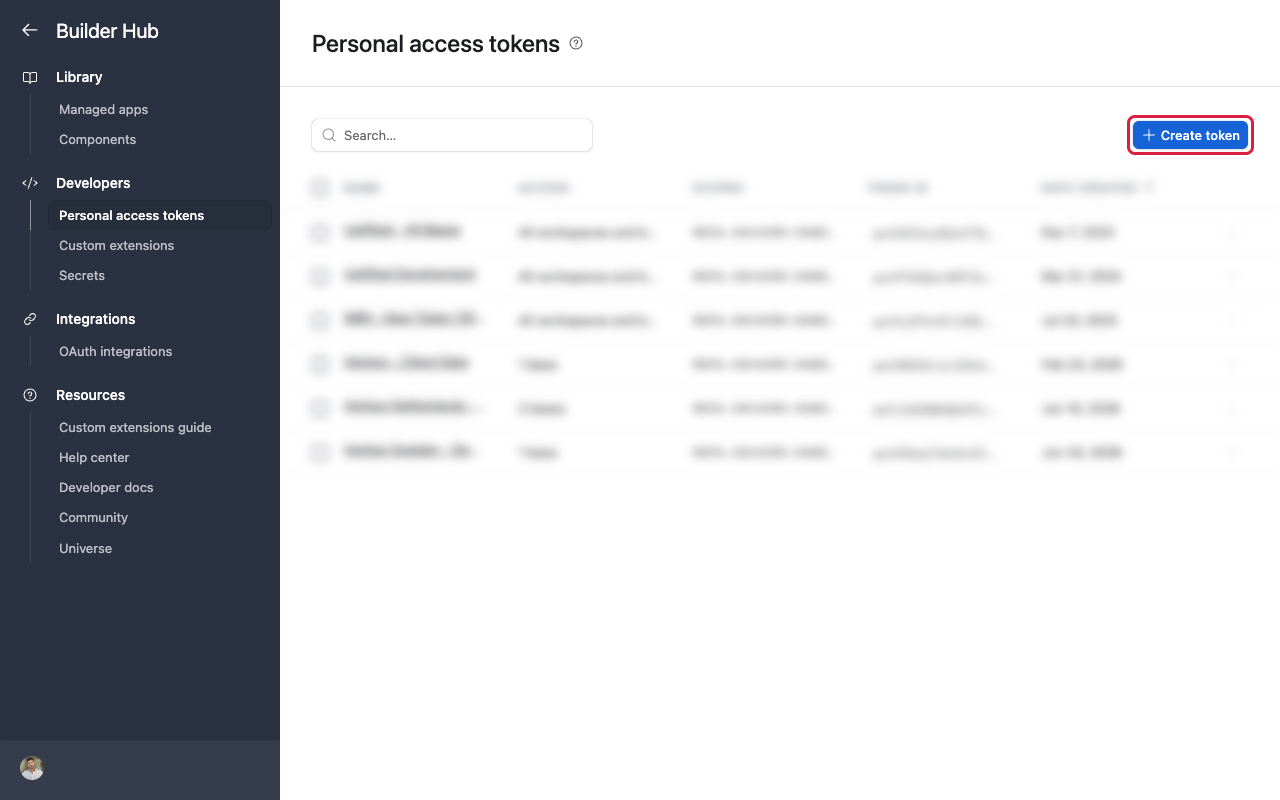
Personal access tokens page in the Builder hub Start a new token
Click Create token.
Name it
In Name, type "Uplifted Consulting".
Add the scopes
Click + Add a scope. Add these, one at a time:
data.records:readdata.records:writeschema.bases:readwebhook:manage(only if we asked for it)
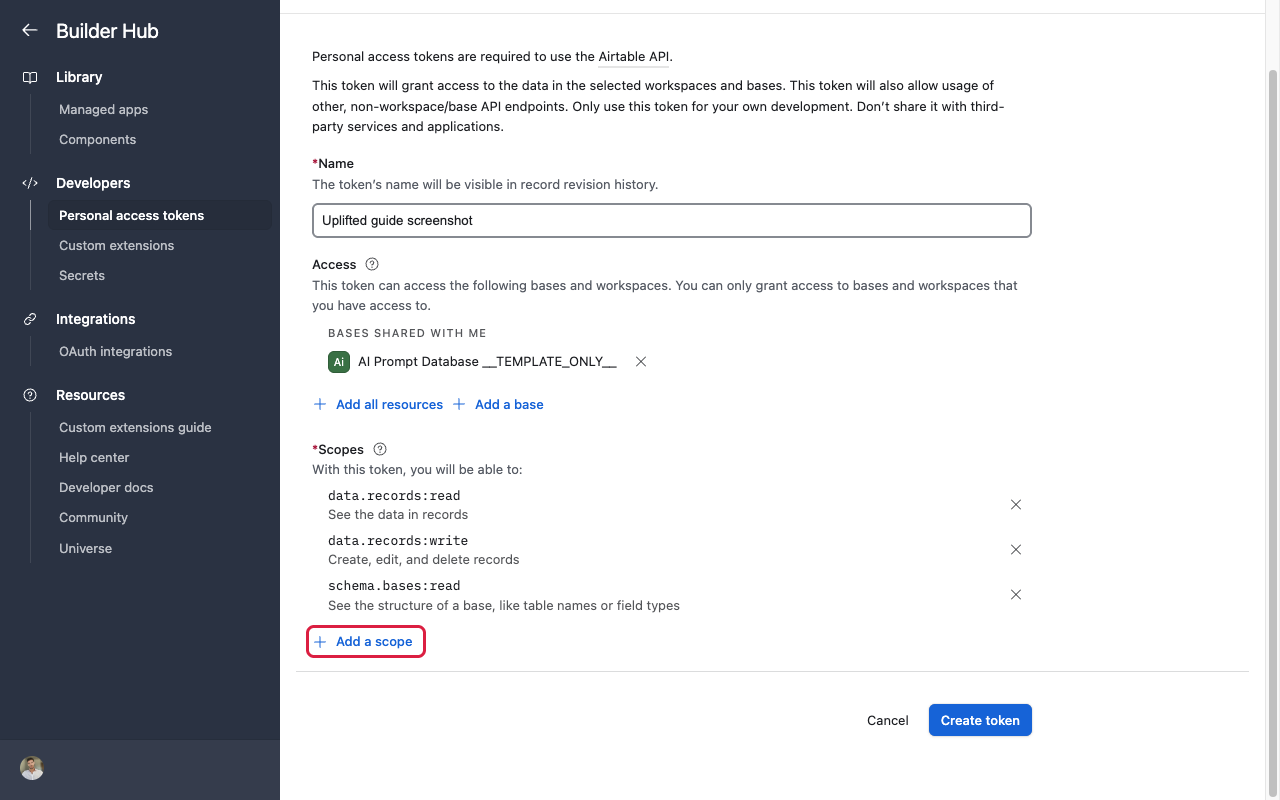
Scopes list with the four scopes added Choose which bases we can see
Under Access, click + Add a base and pick the base we are working on. Repeat for each base. If we work across a whole workspace, pick the workspace instead.
Tip
Only add the bases we need. The token cannot see anything you don't add here.
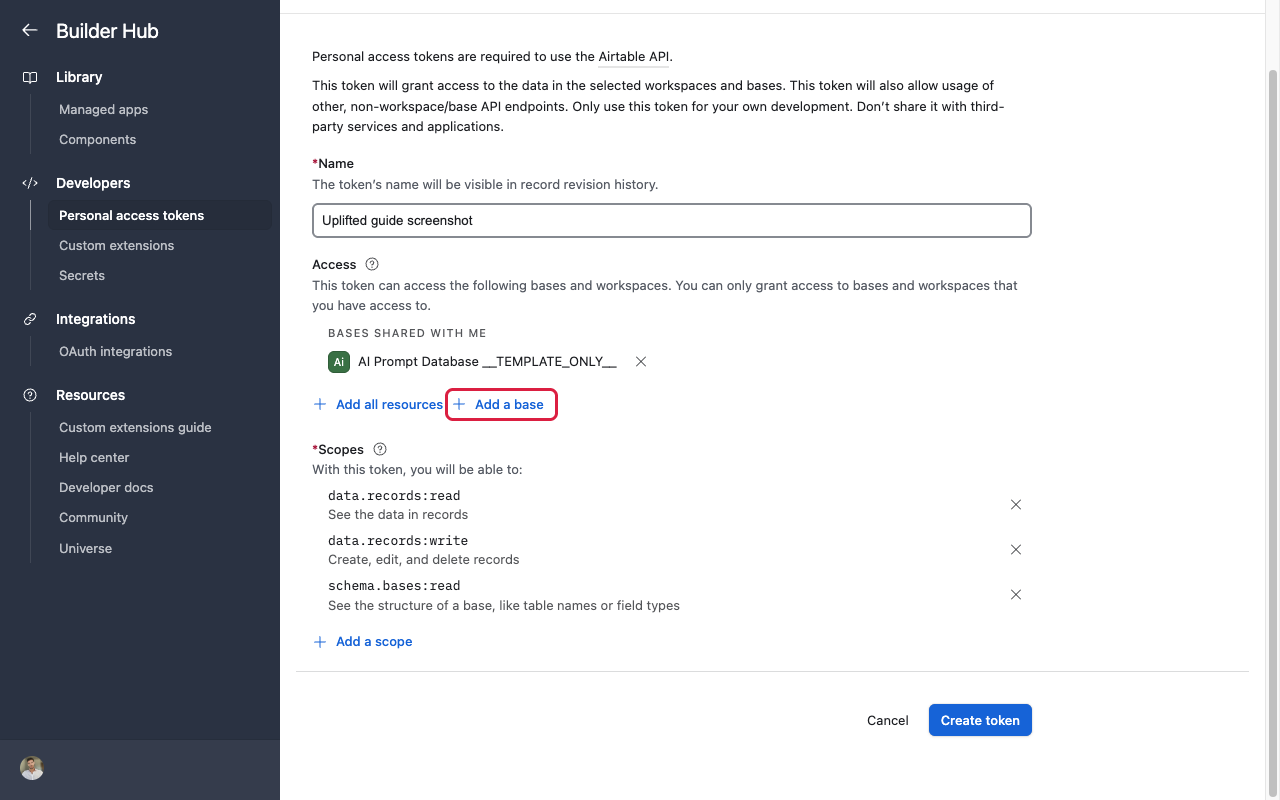
Access section with one base added Create and copy the token
Click Create token at the bottom. A window says Your token has been created. Click the copy icon next to the token, then click Done.
Careful
Airtable shows the token only once. Copy it now, before you close the window.
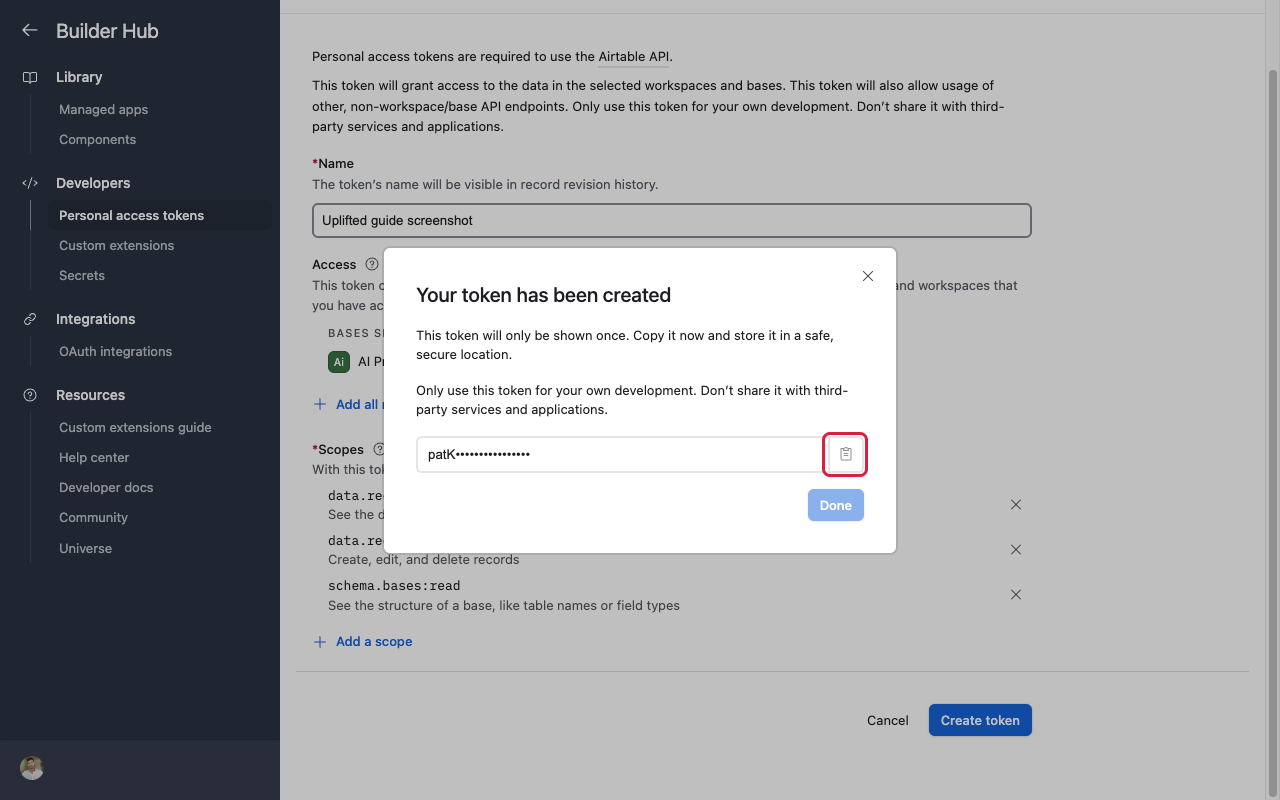
Token created dialog with copy button, token blurred
Optional: your Base ID
We can usually find this ourselves. If you want to save us a step:
Open the base
Open the base in your browser.
Copy the ID from the address bar
Look at the web address at the top. The Base ID is the part that starts with app, up to the next
/. Example:airtable.com/appAbC123xyz/tbl...
The Base ID is not secret. You can send it in a normal email.
Send it to us
Send it with OneTimeSecret
Paste the token into OneTimeSecret, create the link, and send us only the link. Label it "Airtable access token".
Something not right?
I can't find my base in the list
You can only add bases you have access to. Ask the base owner to invite you, or ask them to do these steps.
I closed the window before copying the token
That's fine. Open the token in the list, choose to regenerate it, and copy the new one. The old one stops working.
Do you need my password or an old 'API key'?
No. Airtable no longer uses the old API keys. The personal access token is all we need. Never send us your password.
Last checked: 22 Oct 2026 against Airtable's personal access token guide, scopes list and finding Airtable IDs.
Doing several tools? Tick them all on Your tools and get one prompt or checklist.