
- What we need
- 1 API key
- Time
- about 2 minutes
- Who can do this
- the account owner or an admin of the workspace
- Plan needed
- a paid LeadMagic plan. Without one, LeadMagic shows "Almost there" and asks you to pick a plan before you can create a key. Each lookup we run uses your credits.
Before you start
- Log in details for your LeadMagic account.
- OneTimeSecret open in another tab. You will use it to send the key. How it works.
Get your API key
Log in to LeadMagic
Go to app.leadmagic.io and log in.
Check the workspace
Look at the workspace name in the sidebar. Make sure it is the workspace we will work in. Switch if needed.
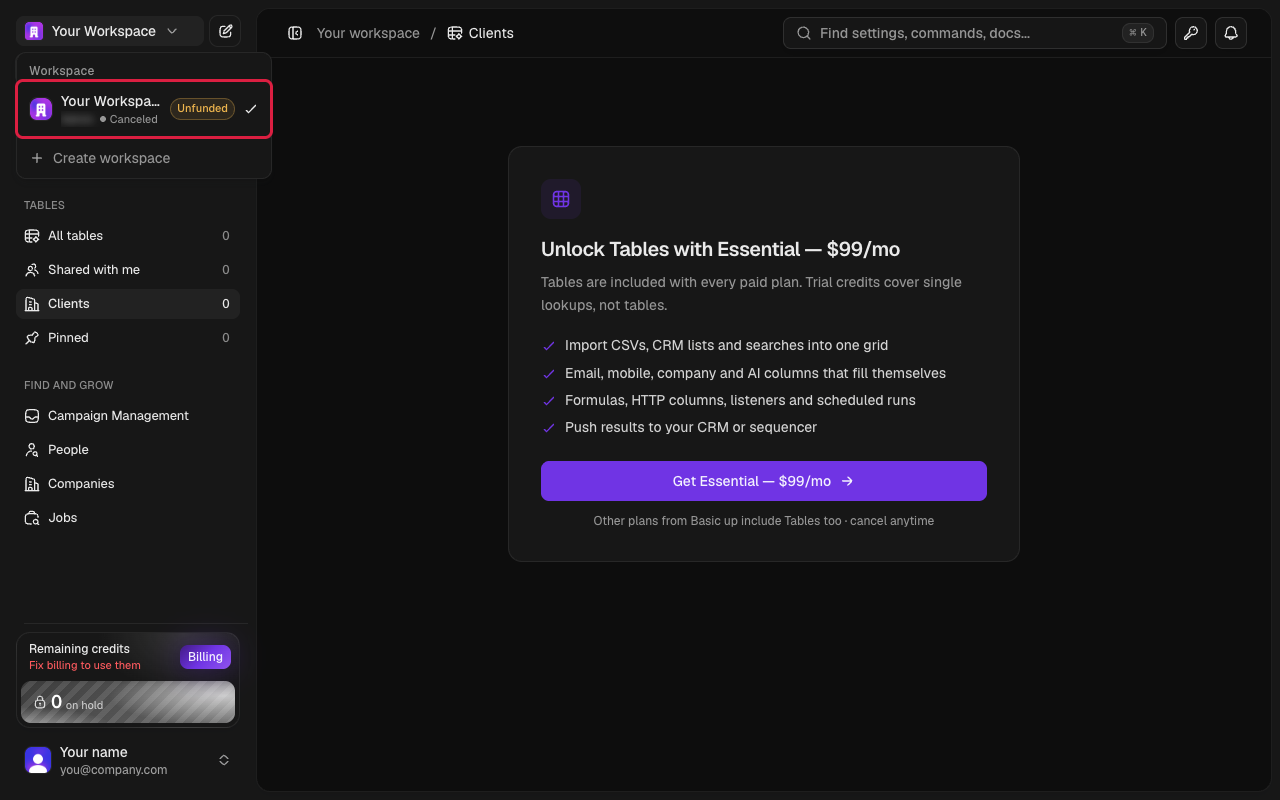
Sidebar workspace switcher Open API Keys
Click the key icon at the top right, or go to Settings and click API keys (under Developer).
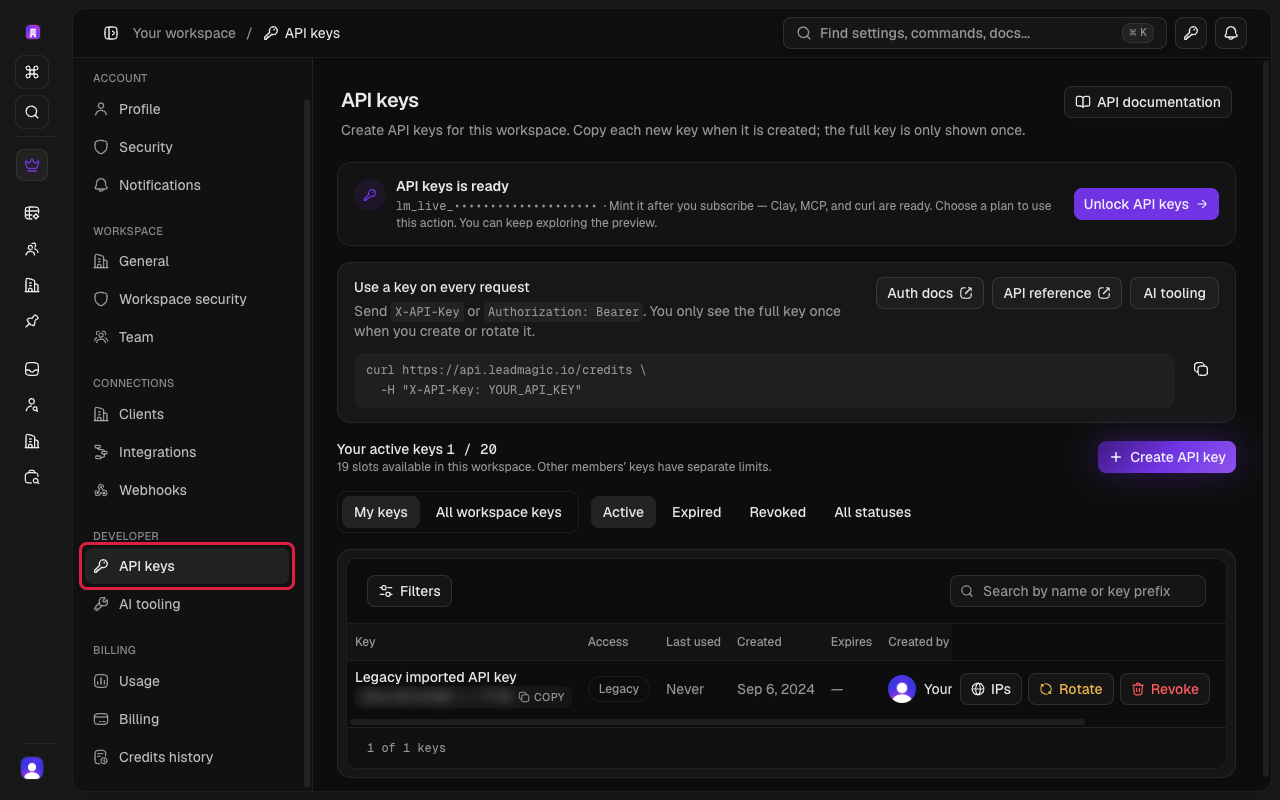
Settings page with API Keys selected Create a key
Click Create API key (above the list of keys). Type a name, for example "Uplifted Consulting".
Copy the key
Copy the key straight away.
Careful
LeadMagic shows the full key only once. If you close the window before copying it, you will need to make a new key.
Send it to us
Send it with OneTimeSecret
Paste the key into OneTimeSecret, create the link, and send us only the link. Label it "LeadMagic API key".
Something not right?
I don't see API Keys in Settings
You are probably logged in as a team member without admin rights. Ask the account owner to do these steps, or to give you admin access.
I made the key in the wrong workspace
Keys belong to one workspace. Switch to the right workspace and create a new key there.
Should I revoke my old key?
No. Clicking Revoke stops a key instantly. Any tool using it would stop working. Leave existing keys alone and just create a new one for us.
Last checked: 22 Oct 2026 against LeadMagic's API keys help article.
Doing several tools? Tick them all on Your tools and get one prompt or checklist.