
- What we need
- 1 personal API token
- Time
- about 2 minutes
- Who can do this
- the account owner. In an organization, the owner or a member with the Manage access tokens permission.
- Plan needed
- none. API tokens work on every Apify plan, including free. Runs use your Apify usage credit.
Before you start
- Log in details for your Apify account.
- OneTimeSecret open in another tab. You will use it to send the token. How it works.
Get your API token
Log in to Apify Console
Go to console.apify.com and log in.
Open Settings
Click Settings in the left-side panel.
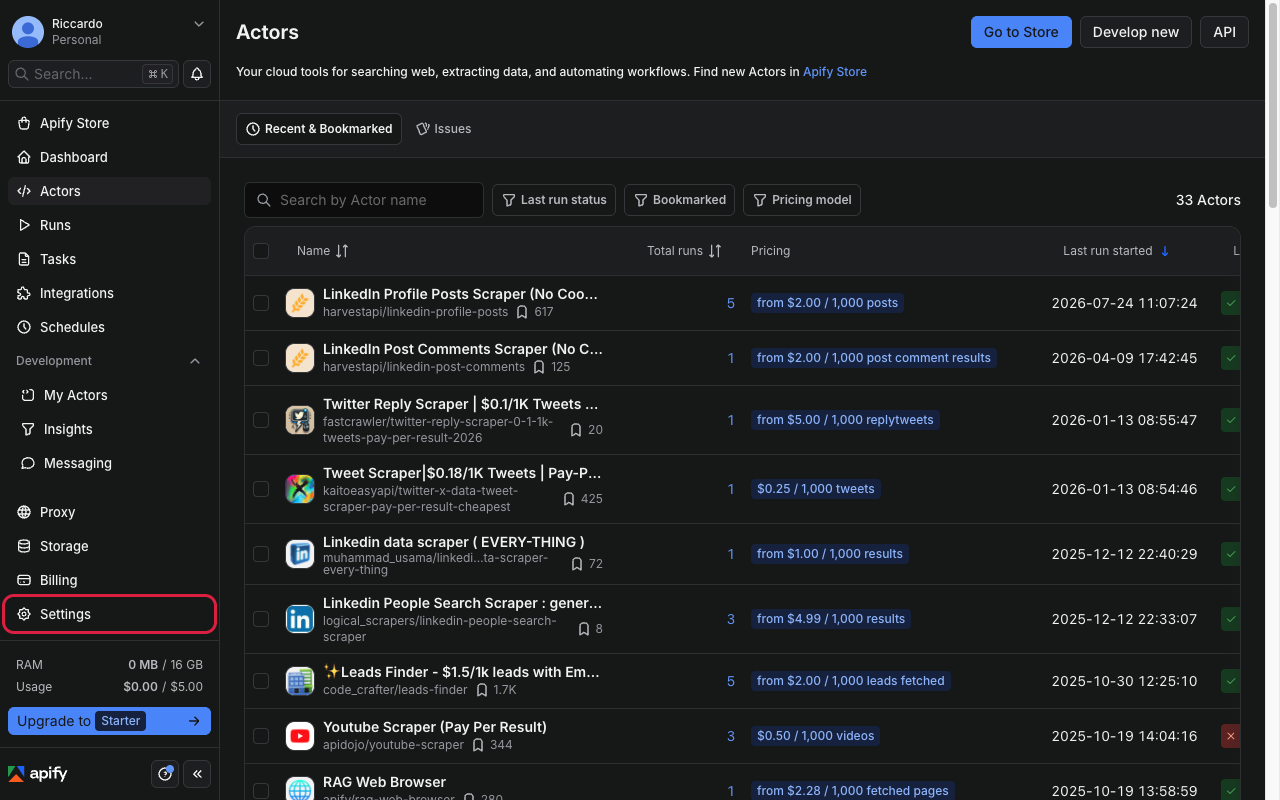
Apify Console left panel with Settings highlighted Open API & Integrations
Click the API & Integrations tab. You can also go straight to console.apify.com/settings/integrations.
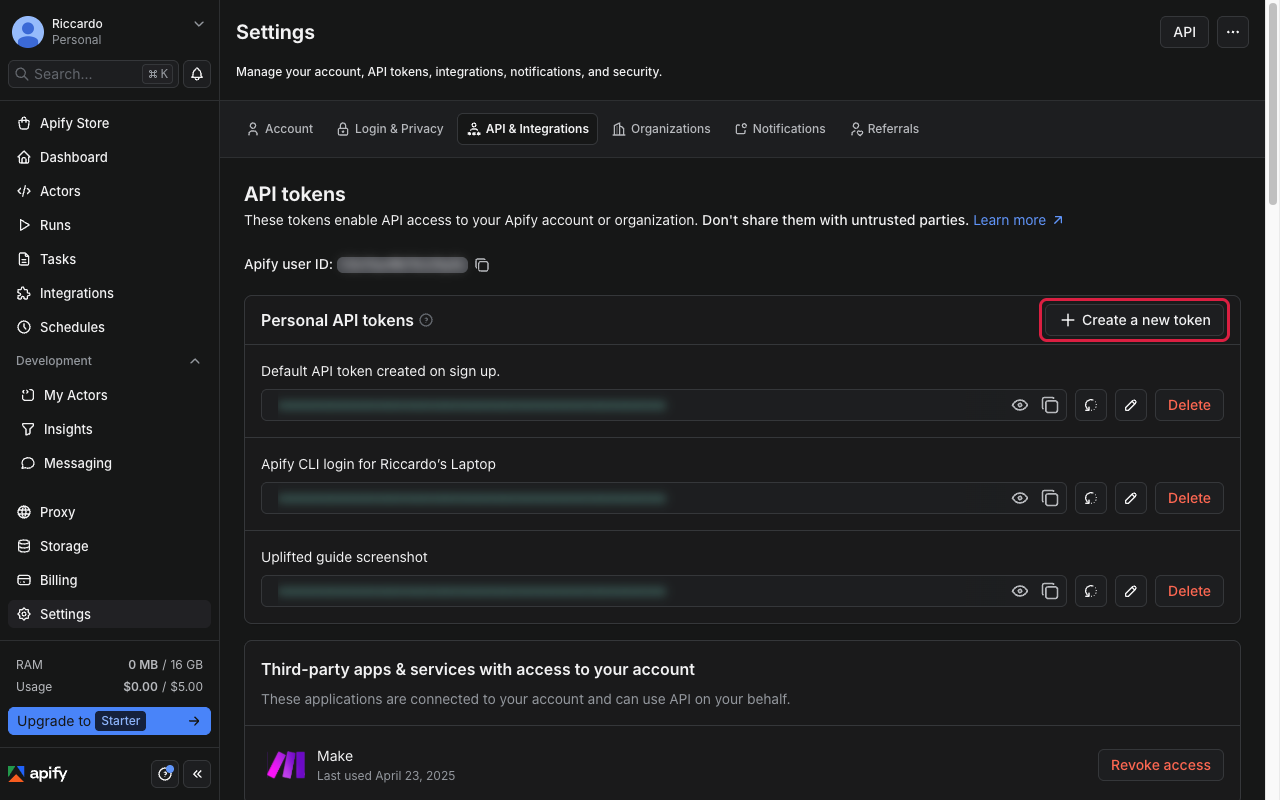
Settings page with API & Integrations tab open, token list visible Create a token for us
Under Personal API tokens, click Create a new token. In Description, type "Uplifted Consulting". Leave Limit token permissions switched off, so the token has full access. Click Create.
Tip
You can switch on Set expiration date if you like. Tell us the date so we know when to ask for a new one.
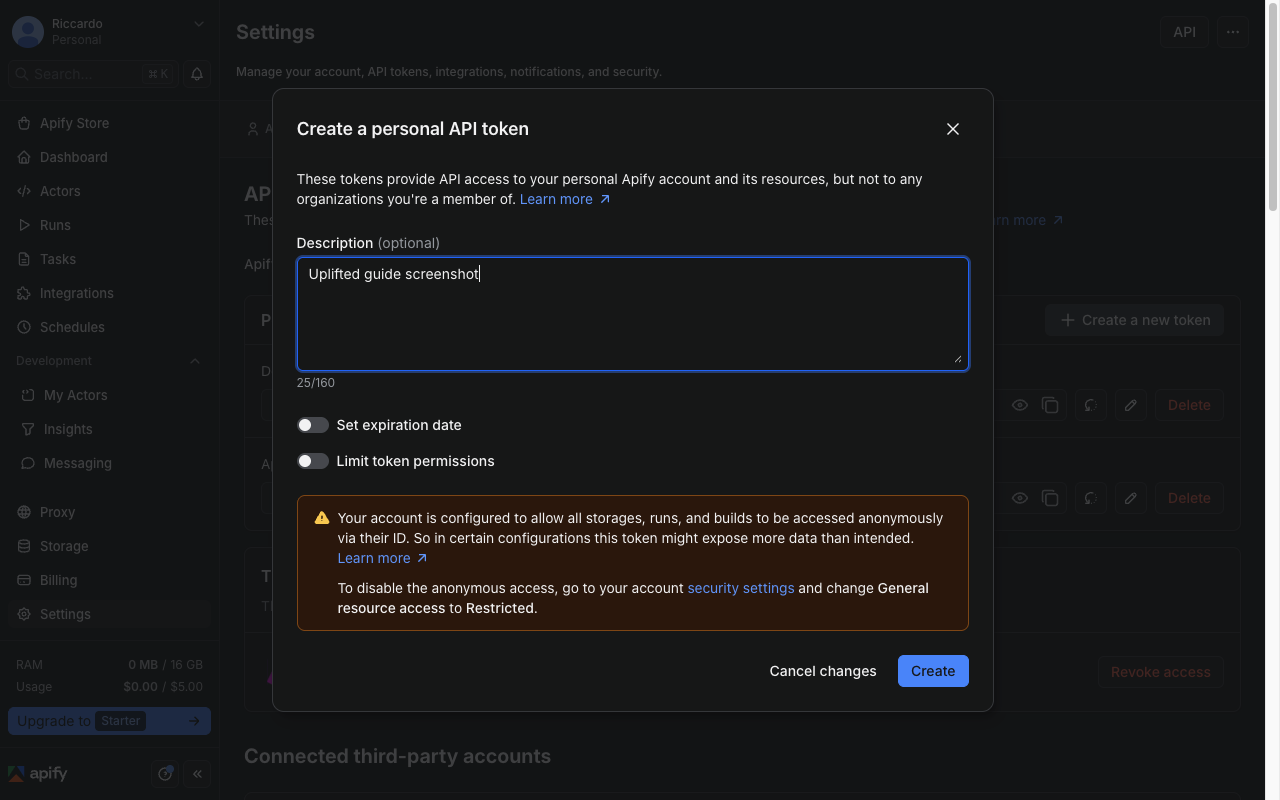
Create token dialog with description field and Limit token permissions toggle off Copy the token
Find the new token in the list (it shows your description) and click its copy icon.
Careful
Copy the whole token. It is a long string of letters and numbers.
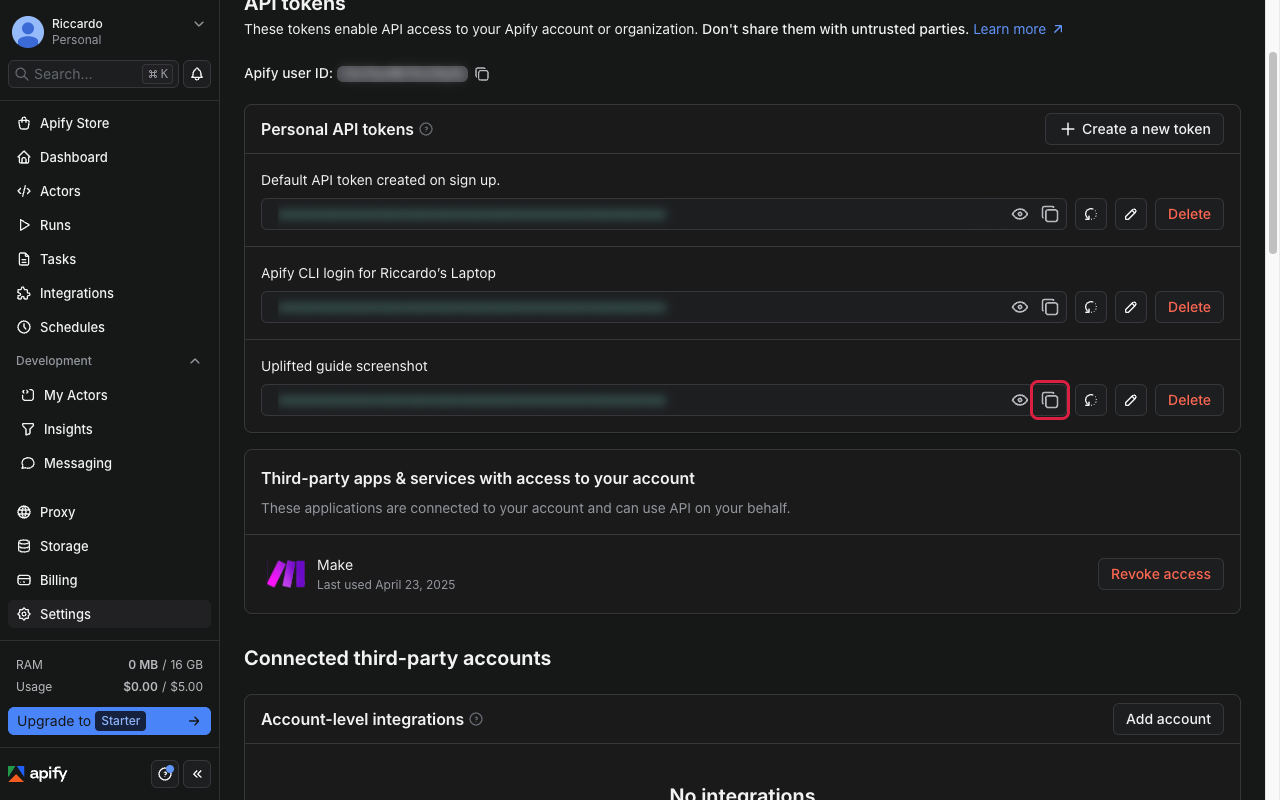
New token with copy icon, token blurred
Send it to us
Send it with OneTimeSecret
Paste the token into OneTimeSecret, create the link, and send us only the link. Label it "Apify API token".
Something not right?
I see Personal and Organization tokens. Which one?
Use the account you want us to work in. If your scrapers live in an organization, switch to it first, then create the token there. If unsure, ask us.
Can I just send the token that is already there?
Yes, that works. But a separate token for us is safer. You can delete it later without affecting anything else.
Will a new token break anything?
No. Creating a new token does not change your existing ones. Only rotating or deleting a token affects tools that use it. Do not rotate your existing token.
Last checked: 22 Oct 2026 against Apify's API integration docs and Apify Console settings docs.
Doing several tools? Tick them all on Your tools and get one prompt or checklist.