
You need this from us first
- Suggested credit limit (optional)
Don't have it? Ask your Uplifted contact.
- What we need
- 1 API key, with a credit limit
- Time
- about 5 minutes
- Who can do this
- the account owner
- Plan needed
- no plan. You pay as you go with prepaid credits.
Before you start
- Log in details for openrouter.ai.
- A payment card, if your account has no credits yet.
- OneTimeSecret open in another tab. You will use it to send the key. How it works.
Step 1: Add credits (skip if you already have some)
Open Credits
Log in and go to openrouter.ai/settings/credits.
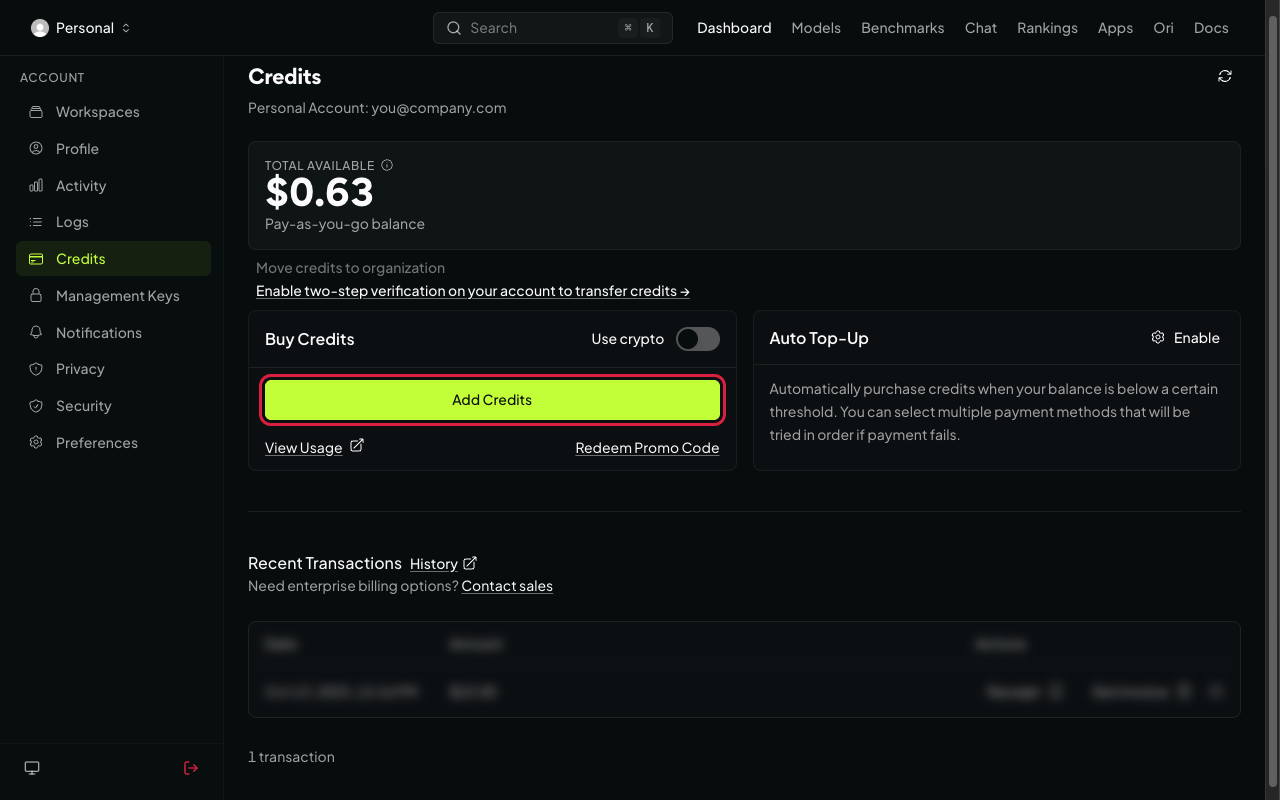
Credits page with balance and add credits button Add credits
Add the amount we agreed and pay. A small card fee applies.
Step 2: Create the API key
Open API keys
Go to openrouter.ai/settings/keys. Click New Key (top right).
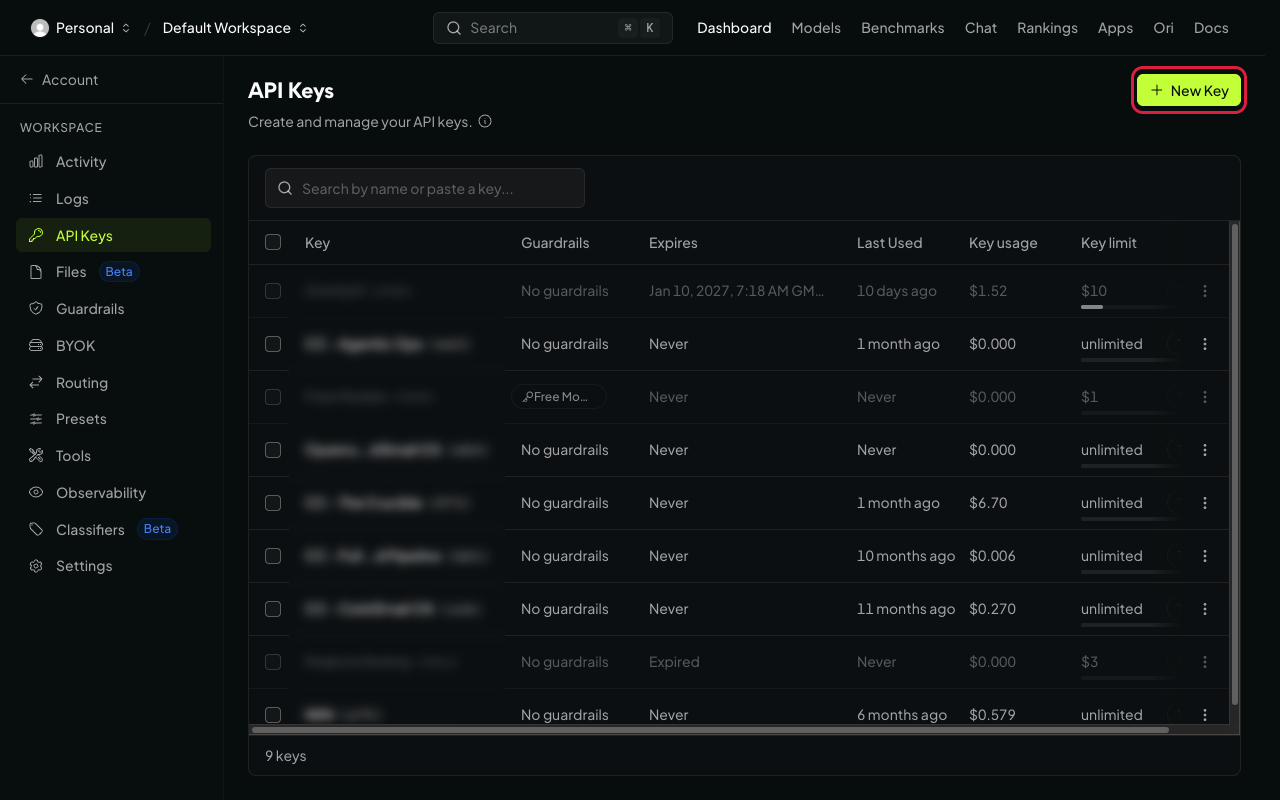
API keys page with create key button Name it and set a limit
- Name: "Uplifted Consulting".
- Expiration: choose No expiration, unless we agreed an end date.
- Credit limit: the amount we agreed ($50, $250, $1,000 or Custom amount). This caps what the key can spend.
- Reset limit every...: choose Monthly if you want the limit to refill each month. Leave it as it is for a one-time cap.
Click Create.
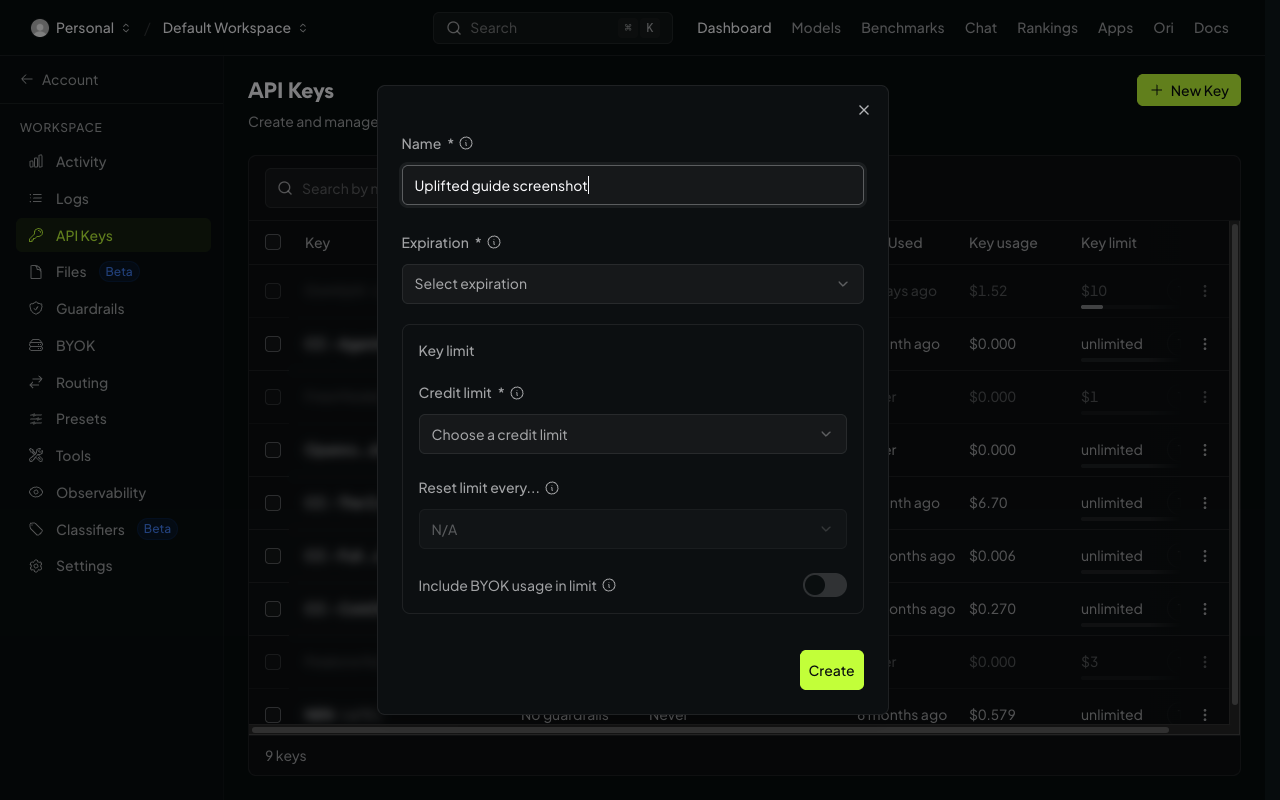
Create key form with name, credit limit and reset options Copy the key
Under Your new key, click the copy icon next to the key. It starts with
sk-or-.Careful
The key is only shown once. If you lose it, create a new one.
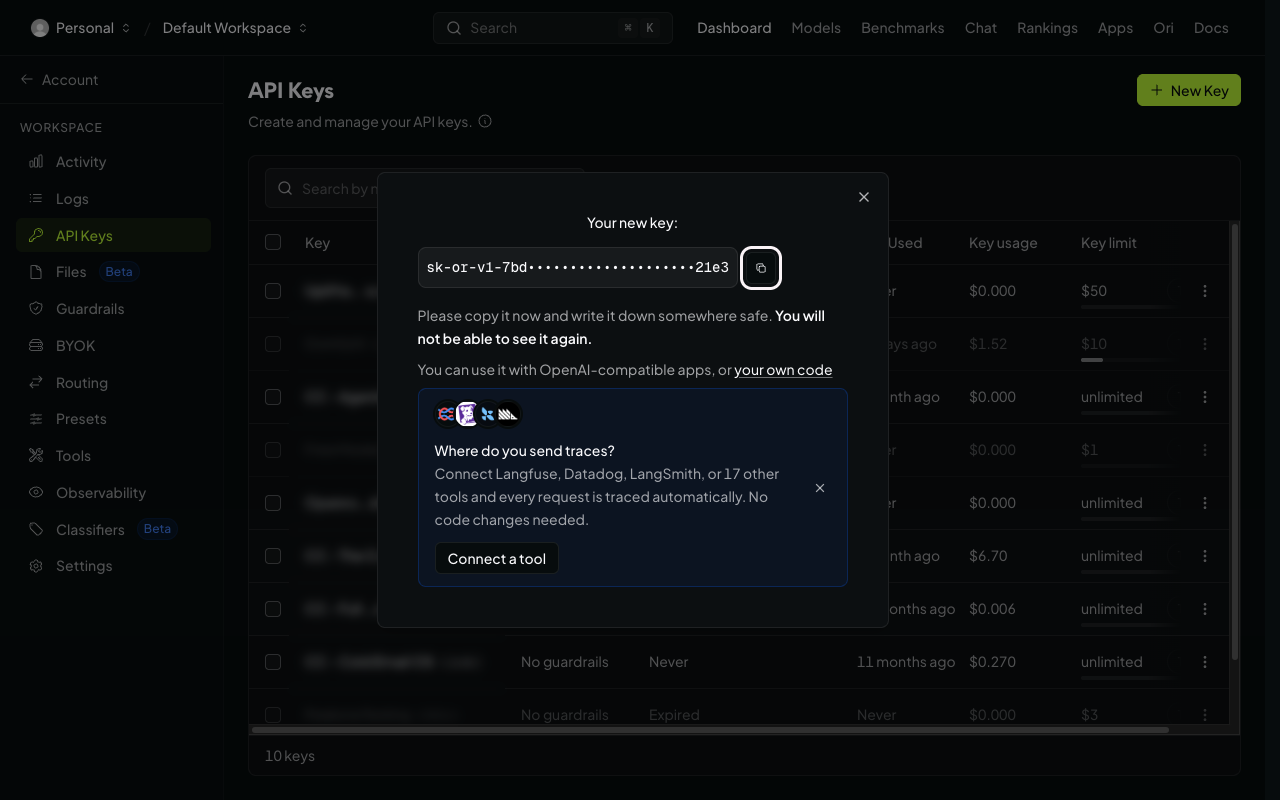
New key shown with copy button, key blurred
Send it to us
Send it with OneTimeSecret
Paste the key into OneTimeSecret, create the link, and send us only the link. Label it "OpenRouter API key".
Something not right?
I made a Management key by mistake
Management keys (on the Management keys page) cannot run AI requests. Go to the normal API keys page at openrouter.ai/settings/keys and create the key there.
We hit the limit. How do I raise it?
On the API keys page, open the key's menu and edit its credit limit. You don't need a new key.
The key has a limit, but requests still fail
Your account may be out of credits. The key's limit is a cap, not money. Add credits on the Credits page.
Last checked: 22 Oct 2026 against OpenRouter's authentication docs.
Doing several tools? Tick them all on Your tools and get one prompt or checklist.